
MES vs ERP
Keep floor logic out of your ERP
Short answer: keep the ERP as the system of record for money, orders and materials. Let an MES run scheduling, order release and registration on the shop floor, and send the actuals back.
Not sure where the line falls in your plant? Take the quick check below.
Spot the signals
Five signs floor logic is creeping into your ERP
Each fix looks small: a field, a report, a screen. Together they turn the ERP into a system nobody wants to touch.
Screens built for accountants
Operators get ERP screens they never asked for, so they go back to paper.
Status from last night
A rush order arrives and the ERP shows what was planned yesterday.
The real plan lives in Excel
The ERP cannot replan fast enough, so the planner keeps the schedule next to it.
Every upgrade is a project
Custom fields, reports and screens have to be rebuilt before the ERP can move on.
Actuals typed in twice
Times and quantities go from paper into the ERP at the end of the week.
Quick check: which of these are true in your plant?
0 of 5
Your ERP still fits the floor. Keep it standard, and say no to the next custom screen.
Floor logic is creeping in. See who should own what before the next custom request.
Your ERP is running your floor. We show you your own orders running in an MES next to your ERP.
Where the time goes
Orders wait on the shop floor.
Right where the ERP sees least.
In make-to-order production, an order spends 95% of its lead time waiting and 5% being worked on.
The ERP knows what you sold, what it should cost and what is in stock. The MES knows which order waits, where and why. ERP plans. 24Flow executes.
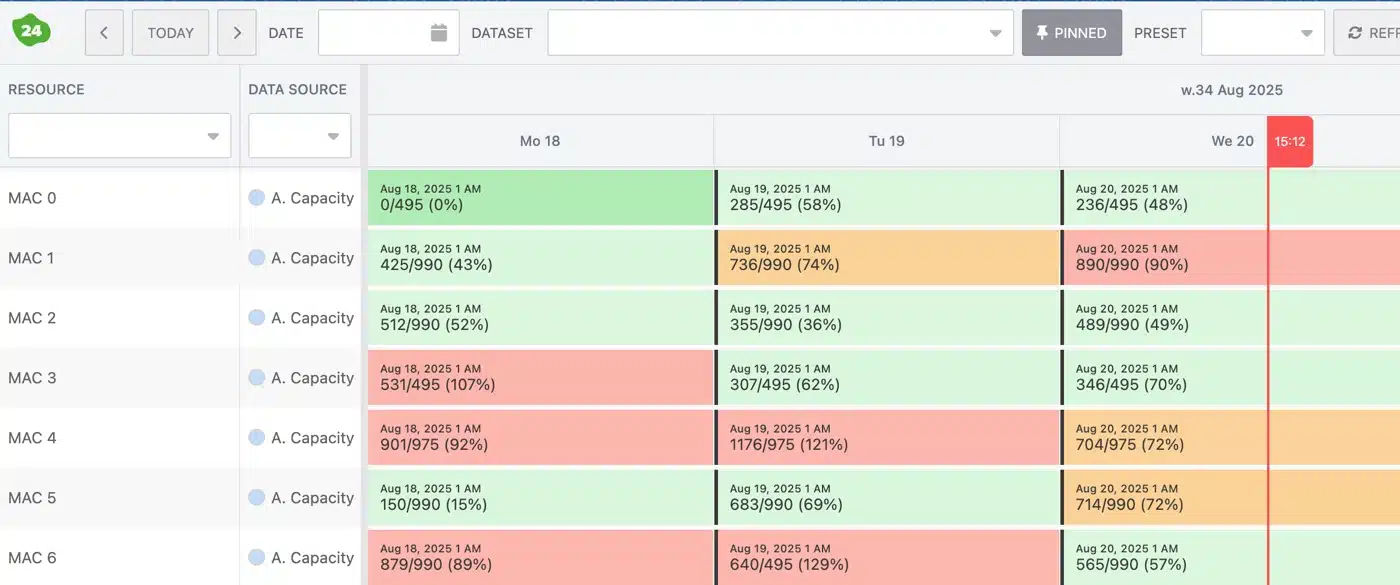
In 24Flow: the Order Pool
Orders in from your ERP
Production orders, routings and delivery dates come from the ERP, each with its material availability. Nothing is typed twice.

In 24Flow: the Team Cockpit
Actuals back to your ERP
Operators register time, quantities and scrap at the workstation. The ERP receives them, ready for costing.

ERP next to MES
Who owns what
Let each system do what it was built for. Mixing the two makes both worse.
| ERP: the system of record | MES: the execution layer | |
|---|---|---|
| Owns | Finance, customer orders, materials, inventory and costs | Scheduling, order release, time registration, quantities and scrap |
| Answers | What did we sell, what should it cost, what is in stock? | What is happening on the shop floor right now? |
| Sends | Production orders, routings and delivery dates | Time, quantities and scrap, as actuals |
| Used by | Finance, sales and purchasing | Planners, team leaders and operators |
| Rush orders | Change dates, reprint routings, tell the next shift | Reprioritize in seconds; each workstation shows the new order |
24Flow is the MES for make-to-order manufacturers, native on Salesforce. See which systems it connects to on ERP integrations and SAP MES integration.
Proof from the shop floor
The ERP stays standard.
The floor runs on 24Flow.
Three make-to-order manufacturers on running their shop floor with 24Flow.
Altachem
SAP upgrade, floor kept running
Altachem had zero downtime during its SAP ERP upgrade while running 24Flow.
“At every station, work is visible and instructions are clear, digital, transparent, real time.”
Wouter Van haute, Operations Manager, Altachem
Kuyer Metaal
Improving delivery reliability
“Our planning was always behind schedule. With 24Flow, we were finally able to work ahead and catch up on six months of backlog.”
Marcel Koopman, Operations Manager, Kuyer Metaal
Mariasteen
AI scheduling at scale
“Planning went from 3 hours to 30 minutes. Now we can focus on solving real problems.”
Thomas Van Landeghem, Operations Manager, Mariasteen
Running SAP? Read how the SAP MES integration works.
Start next to your ERP
Keep your ERP. Start on the shop floor.
You do not replace anything. Three steps from floor logic in the ERP to a shop floor that runs on its own system.
List your floor logic
Every field, report and screen added for the floor. Is it about money and materials, or about work in progress?
Connect your ERP
Orders come from SAP, Microsoft Dynamics 365 Business Central, Exact Online or another connected ERP, and actuals go back. See all integrations
Start with one team
First workflow live within weeks; full rollout typically 2 to 5 months.
Frequently asked questions
Questions about ERP and MES
Do we have to replace our ERP?
No. The ERP stays the system of record for finance, orders and materials. 24Flow runs the shop floor next to it.
What is the difference between an MES and an ERP?
An ERP records what you sold, what it should cost and what is in stock. An MES runs the work on the shop floor in real time and sends the actuals back.
What flows between the ERP and 24Flow?
Production orders, routings and delivery dates come in from the ERP. Time, quantities and scrap go back, ready for costing.
Can we start before an ERP upgrade?
Yes. Start on the shop floor first and connect the new ERP later. Altachem had zero downtime during its SAP ERP upgrade while running 24Flow.
Which ERPs does 24Flow connect to?
Among others SAP S/4HANA and SAP ECC, Microsoft Dynamics 365 Business Central, Microsoft Dynamics 365 Finance and Supply Chain Management and Exact Online. See all integrations.
Do we need to be a Salesforce customer?
No. Every 24Flow license includes the Salesforce platform.
Talk to our team
Your ERP keeps the books.
See what should run the floor.
Talk to an expert about your ERP, your orders and your shop floor. We show you where the line between them falls in your plant.